
Choose a model for each shot
Choose a video model based on visual style, motion, duration and budget.
loading...
Choose a suitable video model for each storyboard shot and control generation with first frames, last frames, reference images, and action descriptions. Long tasks run asynchronously. A failed generation stops its task while completed shots and failure details are retained.
A welcome gift for creators
1,000
creation credits
Your first story starts here.
Sign up for free credits to use on AI scripts, images, storyboards, and video.
One gift per new account. Added automatically.
For a standalone clip, open the AI video tool and start with a text prompt or reference images supported by your chosen model. Choose the duration and aspect ratio, then review the result. Available reference and audio options depend on the model.
For a short drama, work from the project’s script, characters and storyboards. Confirm each shot’s keyframes and action, generate and review its video, then assemble the episode. Keeping shots separate lets you revise a scene without regenerating every video in the series.
Choose a video model based on visual style, motion, duration and budget.
Your project saves generation progress, results and errors. Return after a page refresh to review results or retry a failed shot.
The video model generates each shot with native audio, followed by subtitles, shot review, and full-episode export.
Confirm the characters, scene, first frame, last frame and direction of action.
Choose the video model, reference mode and duration, then start generating your shot.
Regenerate only the shots with problems, then export the full episode after subtitles are complete.
Generation time depends on the model, clip duration and current demand. Your generation runs in the background, and the page updates its progress automatically.
The system limits concurrency and keeps checking submitted tasks. A failed generation request stops. The project retains the failure status and technical details.
Yes. Your balance is checked before generation. Images and videos are billed for actual model usage, even if quality checks fail. The same call is never charged twice.
Yes, with a model that supports image references. Supply the reference image, describe the intended motion and select supported duration and aspect-ratio settings. In a drama project, you can prepare storyboard keyframes before generating each shot.
A video request generates a clip within the selected model’s duration limits. To create a longer episode, plan multiple shots, generate and review the clips, then assemble them in the drama project.
Maya reaches the station as the last train arrives. An envelope slips from her coat. A stranger picks it up, reads the name and calls out. Maya turns: the letter is addressed to someone she thought was gone.
Review Maya’s appearance, the station and each shot’s first frame before generating motion.
Choose the model, duration and supported audio options for each shot. Check action and dialogue before proceeding.
Check continuity, audio and subtitles. Regenerate only the shots that need changes, then assemble the episode.
Use this sequence as a starting point. Edit the script, character references and shot plan before spending credits on video.

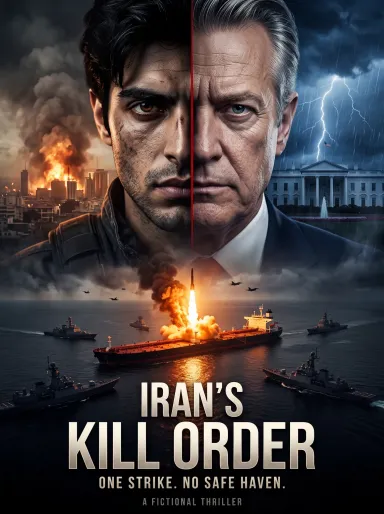
Iran’s Kill Order
US airstrikes devastate Tehran. Iran seals the Strait of Hormuz, setting off a deadly chain of retaliation. A secret kill order sends President Trand and his family into a global struggle for survival as covert operatives hunt the people behind the attack. Watch an 80-episode AI-generated political thriller blending espionage, revenge and supernatural horror. A fictional series, not a news report or documentary.

Day of Reckoning for Lies
资深策划苏晴在公司大会上惨遭总经理赵德海当众陷害与开除,面临牢狱之灾。绝境之中,她觉醒洞察谎言的异能,精准锁定罪证展开反击。从伪造账目到职场霸凌,苏晴层层拆穿虚伪上司与刻薄副手的阴谋,在集团高层与经侦警方见证下,完成一场酣畅淋漓的职场罪恶大清算。